Domain xcm.at kaufen?
Wir ziehen mit dem Projekt
xcm.at um.
Sind Sie am Kauf der Domain
xcm.at interessiert?
domain@kv-gmbh.de · 0541-91531010
Domain xcm.at kaufen?
Was ist die f8 Taste?
Die f8 Taste ist eine Funktionstaste auf der Tastatur eines Computers. Sie befindet sich in der obersten Reihe der Tasten und wird oft für verschiedene Funktionen in Programmen und Betriebssystemen verwendet. Zum Beispiel kann die f8 Taste in Windows-Betriebssystemen dazu verwendet werden, den abgesicherten Modus zu starten oder das Booten von externen Geräten zu ermöglichen. In verschiedenen Anwendungen kann die f8 Taste auch als Shortcut für bestimmte Befehle oder Aktionen dienen. Es ist wichtig, die Funktionen der f8 Taste je nach Kontext zu kennen, um effizient mit dem Computer arbeiten zu können. **
Welche Option ist grammatisch richtig: iPhone XS 512GB, iPhone 11 256GB oder nichts 1 256GB?
Die Option "iPhone XS 512GB" ist grammatisch richtig. "iPhone 11 256GB" ist ebenfalls korrekt. "Nichts 1 256GB" ist jedoch nicht korrekt, da es keinen Sinn ergibt. **
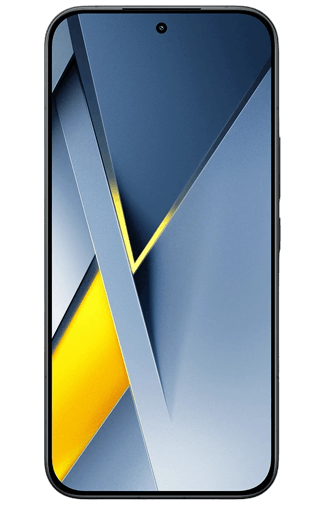
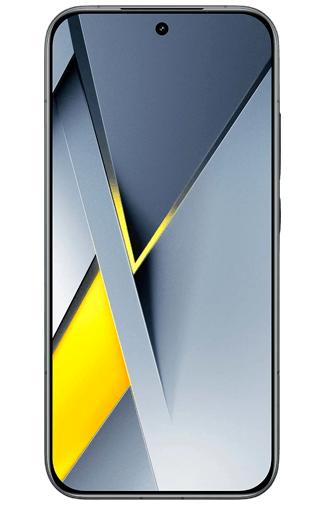
Ähnliche Suchbegriffe für POCO-F8-Ultra-256GB
Top-Angebote
Produkte zum Begriff POCO-F8-Ultra-256GB:
-
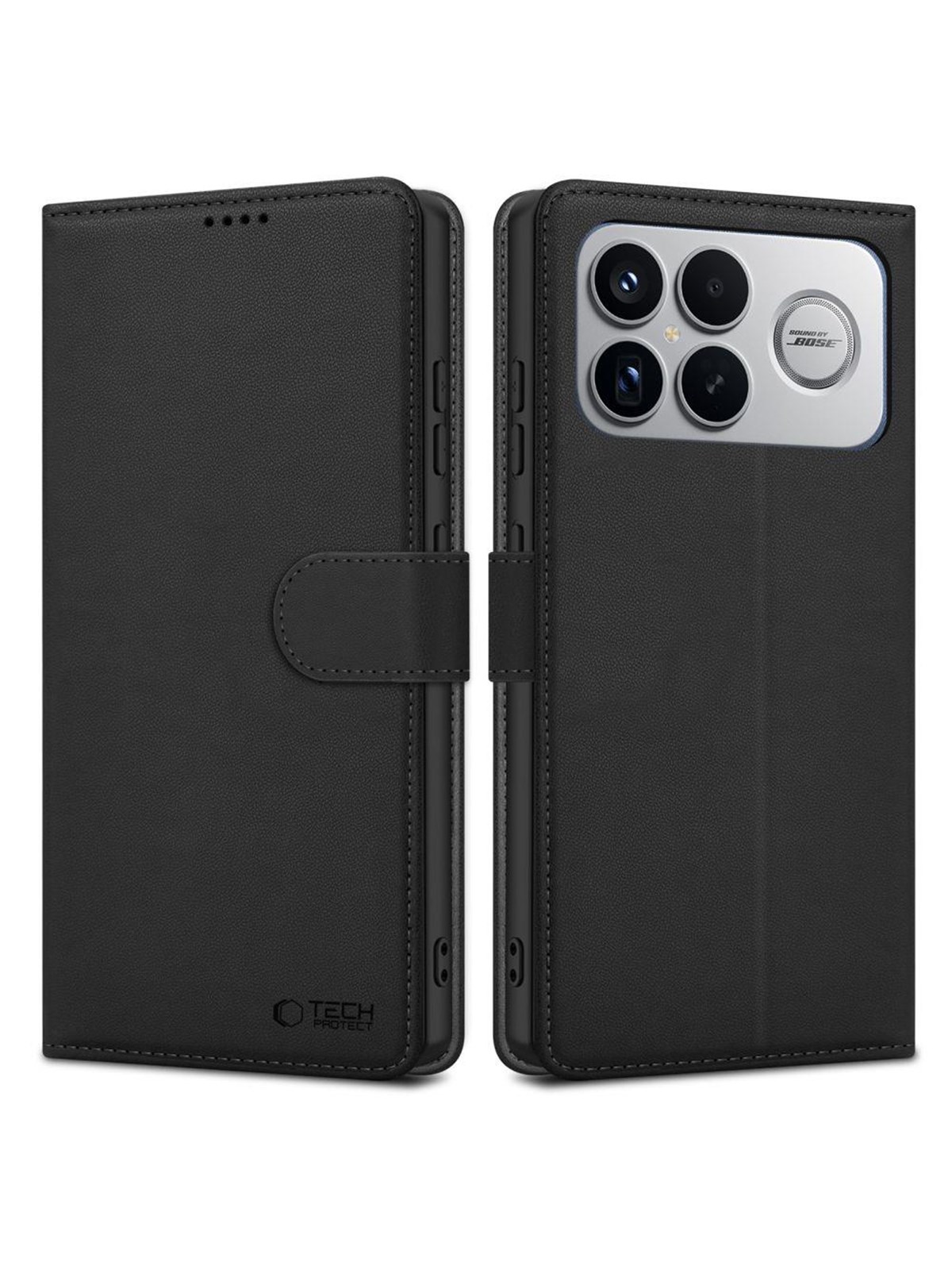
Tech-Protect Wallet Case for Xiaomi Poco F8 Ultra - BlackThe Tech-Protect Wallet case made entirely of eco-leather is comfortable and durable to use, and at the same time elegant, in a classic style and original design. One of the main features of the cover is the stand function, thanks to which the user can freely watch videos, use video calls or view content in landscape mode, without having to hold the phone in his hand. The case provides a stable support for the phone, which increases the comfort of use. In addition, it has a convenient place for documents, credit cards or cash. Thanks to this, you can always have all the most important things with you. A practical and functional solution for people who value convenience and organization. It is worth noting that the Tech-Protect Wallet case is refined in every detail. The stitching adds a stylish character to it and at the same time enhances its durability. Mounted on a base made of TPU, a flexible but durable material, it protects the phone from accidental falls, scratches and other damage. The magnetic closure makes closing and opening the case quick and simple, while keeping your phone safe and secure inside.12,95 €*Versand: 6,99 €Sichere Weiterleitung zum Anbieter
-
Tech-Protect MagMat MagSafe Case for Xiaomi Poco F8 Ultra - BlackThe Tech-Protect Magmat MagSafe case combines elegant design with the highest level of protection. The hybrid design uses high-quality TPU and PC components, guaranteeing comprehensive protection for your smartphone. The flexible frame made of polyurethane plastic perfectly absorbs impacts and protects the phone during falls, while the hard polycarbonate back effectively protects against scratches and mechanical damage. The transparent finish emphasizes the original appearance of the device, while maintaining its unique character. The raised form of the housing around the camera and screen protects the most sensitive components from contact with a flat surface. The built-in magnetic ring ensures full compatibility with MagSafe technology, allowing for fast wireless charging and the use of magnetic accessories. Precise cutouts guarantee full access to all ports, buttons and speakers.12,38 €*Versand: 6,99 €Sichere Weiterleitung zum Anbieter
-
Tech-Protect TacticStand MagSafe Case for Xiaomi Poco F8 Ultra - BlackThe Tech-Protect TacticStand MagSafe case is a true piece of armor for your smartphone - designed for those who don't compromise. The robust, multi-layered design combines futuristic design with military-grade durability, giving your phone not only protection, but also character. The precision-shaped housing with geometric lines and carbon accents combines modern style with a distinctive character. The expressive, robust design emphasizes the character of the device and gives it a professional, technical look - ideal for those who value a combination of functionality and aesthetics. The integrated stand holder provides comfort when watching videos, video conferences or workouts, allowing you to use your phone freely without having to hold it in your hand. You place the phone stably in a horizontal position, which significantly increases the comfort of use in everyday situations. Fully compatible with MagSafe technology, you can quickly and effortlessly charge without cables and use magnetic accessories. Built-in magnets provide a strong and precise fit to MagSafe chargers and other compatible devices, offering the convenience of wireless charging without removing the case. The TacticStand case is more than just protection - it's a functional tool created for demanding users. Reinforced corners effectively absorb shocks and minimize the effects of falls, protecting your phone from mechanical damage. The non-slip surface ensures a secure and stable grip in any situation, even during intensive use. The Tech-Protect TacticStand MagSafe is the perfect combination of military-grade protection, modern technology, and practical features - all in one stylish case.11,58 €*Versand: 6,99 €Sichere Weiterleitung zum Anbieter


-
Wie drücke ich die f8 Taste?
Um die F8-Taste auf deiner Tastatur zu drücken, positioniere deine Hand so, dass dein rechter Zeigefinger auf der F8-Taste ruht. Drücke die Taste dann mit einem leichten Druck nach unten, bis du ein Klicken spürst oder hörst. Stelle sicher, dass du nicht zu fest drückst, um Schäden an der Taste oder der Tastatur zu vermeiden. Wenn du Schwierigkeiten hast, die F8-Taste zu finden, schau auf die Tastaturbeschriftung oder das Handbuch deines Computers, um die genaue Position zu identifizieren. **
-
Wann f8 drücken für abgesicherten Modus?
Um in den abgesicherten Modus zu gelangen, müssen Sie die Taste F8 drücken, während der Computer hochfährt, bevor das Windows-Logo erscheint. Es ist wichtig, die Taste mehrmals zu drücken, da der richtige Zeitpunkt manchmal schwer zu treffen ist. Der abgesicherte Modus ist nützlich, um Probleme mit dem Betriebssystem zu beheben, da nur die grundlegenden Treiber und Dienste geladen werden. Stellen Sie sicher, dass Sie den abgesicherten Modus nur verwenden, wenn Sie sich mit den grundlegenden Funktionen des Computers auskennen, da einige Funktionen deaktiviert sind. Es ist ratsam, vor dem Starten des abgesicherten Modus eine Datensicherung durchzuführen, um Datenverlust zu vermeiden. **
-
Für was ist die f8 Taste?
Die f8-Taste auf der Tastatur wird oft als Funktionstaste verwendet, um verschiedene Befehle oder Aktionen in Softwareanwendungen auszuführen. In vielen Programmen kann die f8-Taste beispielsweise zum Öffnen des Entwicklerwerkzeugs oder zum Starten des Debug-Modus verwendet werden. In einigen Betriebssystemen kann die f8-Taste auch zum Starten des abgesicherten Modus oder zum Aufrufen des Boot-Menüs verwendet werden. Es ist wichtig, die spezifische Funktion der f8-Taste in der jeweiligen Anwendung oder Umgebung zu überprüfen, da sie je nach Kontext variieren kann. **
-
Was kostet iPhone XS Max 256gb?
Das iPhone XS Max 256 GB kostet je nach Anbieter und Land unterschiedlich. In Deutschland liegt der Preis für ein neues Gerät in der Regel zwischen 1.249€ und 1.349€. Bei gebrauchten Geräten kann der Preis variieren, abhängig vom Zustand und Zubehör. Es ist empfehlenswert, verschiedene Angebote zu vergleichen, um das beste Angebot zu finden. Hast du schon einen bestimmten Anbieter im Blick, bei dem du das iPhone XS Max kaufen möchtest? **
Was ist die Funktion der F8-Taste?
Die F8-Taste hat verschiedene Funktionen, abhängig vom Kontext, in dem sie verwendet wird. In den meisten Betriebssystemen kann sie verwendet werden, um den abgesicherten Modus zu aktivieren, der das Starten des Computers mit minimalen Treibern und Diensten ermöglicht. In einigen Anwendungen kann die F8-Taste auch verwendet werden, um spezifische Funktionen oder Befehle aufzurufen. **
Wo ist die f8 Taste beim Laptop?
Die f8 Taste befindet sich normalerweise auf der obersten Reihe der Tastatur eines Laptops. Sie ist oft mit einer Funktionstaste (Fn) kombiniert, was bedeutet, dass man die Fn-Taste gedrückt halten muss, um die f8 Funktion auszuführen. Die genaue Position der f8 Taste kann je nach Laptop-Modell variieren, aber sie ist in der Regel in der Nähe der oberen linken Ecke der Tastatur zu finden. Wenn du die f8 Taste nicht finden kannst, schau am besten in der Bedienungsanleitung deines Laptops nach oder suche online nach einem Bild der Tastatur deines spezifischen Laptop-Modells. **
Top-Angebote
Produkte zum Begriff POCO-F8-Ultra-256GB:
-
Tech-Protect Wallet Case for Xiaomi Poco F8 Ultra - BlackThe Tech-Protect Wallet case made entirely of eco-leather is comfortable and durable to use, and at the same time elegant, in a classic style and original design. One of the main features of the cover is the stand function, thanks to which the user can freely watch videos, use video calls or view content in landscape mode, without having to hold the phone in his hand. The case provides a stable support for the phone, which increases the comfort of use. In addition, it has a convenient place for documents, credit cards or cash. Thanks to this, you can always have all the most important things with you. A practical and functional solution for people who value convenience and organization. It is worth noting that the Tech-Protect Wallet case is refined in every detail. The stitching adds a stylish character to it and at the same time enhances its durability. Mounted on a base made of TPU, a flexible but durable material, it protects the phone from accidental falls, scratches and other damage. The magnetic closure makes closing and opening the case quick and simple, while keeping your phone safe and secure inside.12,95 €*Versand: 6,99 €Sichere Weiterleitung zum Anbieter
-
Was ist die f8 Taste?
Die f8 Taste ist eine Funktionstaste auf der Tastatur eines Computers. Sie befindet sich in der obersten Reihe der Tasten und wird oft für verschiedene Funktionen in Programmen und Betriebssystemen verwendet. Zum Beispiel kann die f8 Taste in Windows-Betriebssystemen dazu verwendet werden, den abgesicherten Modus zu starten oder das Booten von externen Geräten zu ermöglichen. In verschiedenen Anwendungen kann die f8 Taste auch als Shortcut für bestimmte Befehle oder Aktionen dienen. Es ist wichtig, die Funktionen der f8 Taste je nach Kontext zu kennen, um effizient mit dem Computer arbeiten zu können. **
-
Welche Option ist grammatisch richtig: iPhone XS 512GB, iPhone 11 256GB oder nichts 1 256GB?
Die Option "iPhone XS 512GB" ist grammatisch richtig. "iPhone 11 256GB" ist ebenfalls korrekt. "Nichts 1 256GB" ist jedoch nicht korrekt, da es keinen Sinn ergibt. **
-
Wie drücke ich die f8 Taste?
Um die F8-Taste auf deiner Tastatur zu drücken, positioniere deine Hand so, dass dein rechter Zeigefinger auf der F8-Taste ruht. Drücke die Taste dann mit einem leichten Druck nach unten, bis du ein Klicken spürst oder hörst. Stelle sicher, dass du nicht zu fest drückst, um Schäden an der Taste oder der Tastatur zu vermeiden. Wenn du Schwierigkeiten hast, die F8-Taste zu finden, schau auf die Tastaturbeschriftung oder das Handbuch deines Computers, um die genaue Position zu identifizieren. **
-
Wann f8 drücken für abgesicherten Modus?
Um in den abgesicherten Modus zu gelangen, müssen Sie die Taste F8 drücken, während der Computer hochfährt, bevor das Windows-Logo erscheint. Es ist wichtig, die Taste mehrmals zu drücken, da der richtige Zeitpunkt manchmal schwer zu treffen ist. Der abgesicherte Modus ist nützlich, um Probleme mit dem Betriebssystem zu beheben, da nur die grundlegenden Treiber und Dienste geladen werden. Stellen Sie sicher, dass Sie den abgesicherten Modus nur verwenden, wenn Sie sich mit den grundlegenden Funktionen des Computers auskennen, da einige Funktionen deaktiviert sind. Es ist ratsam, vor dem Starten des abgesicherten Modus eine Datensicherung durchzuführen, um Datenverlust zu vermeiden. **
Ähnliche Suchbegriffe für POCO-F8-Ultra-256GB
-
Tech-Protect MagMat MagSafe Case for Xiaomi Poco F8 Ultra - BlackThe Tech-Protect Magmat MagSafe case combines elegant design with the highest level of protection. The hybrid design uses high-quality TPU and PC components, guaranteeing comprehensive protection for your smartphone. The flexible frame made of polyurethane plastic perfectly absorbs impacts and protects the phone during falls, while the hard polycarbonate back effectively protects against scratches and mechanical damage. The transparent finish emphasizes the original appearance of the device, while maintaining its unique character. The raised form of the housing around the camera and screen protects the most sensitive components from contact with a flat surface. The built-in magnetic ring ensures full compatibility with MagSafe technology, allowing for fast wireless charging and the use of magnetic accessories. Precise cutouts guarantee full access to all ports, buttons and speakers.12,38 €*Versand: 6,99 €Sichere Weiterleitung zum Anbieter
-
Tech-Protect TacticStand MagSafe Case for Xiaomi Poco F8 Ultra - BlackThe Tech-Protect TacticStand MagSafe case is a true piece of armor for your smartphone - designed for those who don't compromise. The robust, multi-layered design combines futuristic design with military-grade durability, giving your phone not only protection, but also character. The precision-shaped housing with geometric lines and carbon accents combines modern style with a distinctive character. The expressive, robust design emphasizes the character of the device and gives it a professional, technical look - ideal for those who value a combination of functionality and aesthetics. The integrated stand holder provides comfort when watching videos, video conferences or workouts, allowing you to use your phone freely without having to hold it in your hand. You place the phone stably in a horizontal position, which significantly increases the comfort of use in everyday situations. Fully compatible with MagSafe technology, you can quickly and effortlessly charge without cables and use magnetic accessories. Built-in magnets provide a strong and precise fit to MagSafe chargers and other compatible devices, offering the convenience of wireless charging without removing the case. The TacticStand case is more than just protection - it's a functional tool created for demanding users. Reinforced corners effectively absorb shocks and minimize the effects of falls, protecting your phone from mechanical damage. The non-slip surface ensures a secure and stable grip in any situation, even during intensive use. The Tech-Protect TacticStand MagSafe is the perfect combination of military-grade protection, modern technology, and practical features - all in one stylish case.11,58 €*Versand: 6,99 €Sichere Weiterleitung zum Anbieter
-
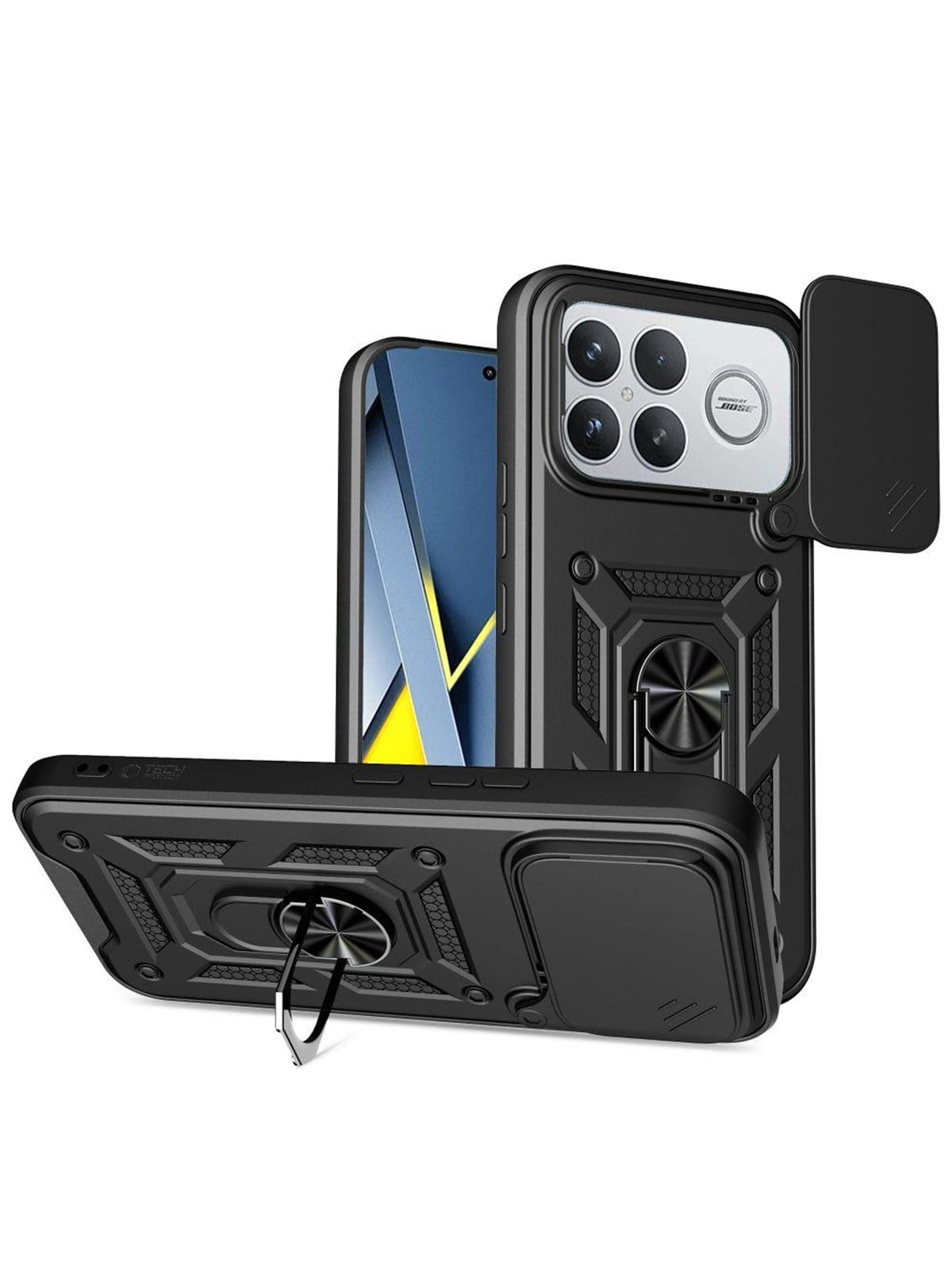
Tech-Protect CamShield Pro Case for Xiaomi Poco F8 Ultra - BlackThe Tech-Protect CamShield Pro armored case is a perfect protection for the entire device against falls and scratches. The advanced hybrid design combines high-quality TPU and PC components to create reliable protection at the highest level. Flexible and shock-absorbing polyurethane works with durable, abrasion-resistant polycarbonate to provide comprehensive protection for your phone in all conditions. Precise workmanship and perfect fit guarantee full functionality of the device while maintaining maximum safety. A distinguishing feature of the case is the practical slider - a simple and convenient lens hood that can be closed at any time. The mechanism effectively protects the camera from unexpected damage, scratches and provides additional privacy protection. The innovative 360-degree rotating ring is a multifunctional solution that is perfect as a stand for watching movies, a comfortable finger holder for a secure grip on the phone in your hand, as well as a mount for a magnetic car holder. Easy to install and disassemble, Tech-Protect CamShield Pro is the perfect combination of advanced protection with the practicality of everyday use.11,34 €*Versand: 6,99 €Sichere Weiterleitung zum Anbieter
-
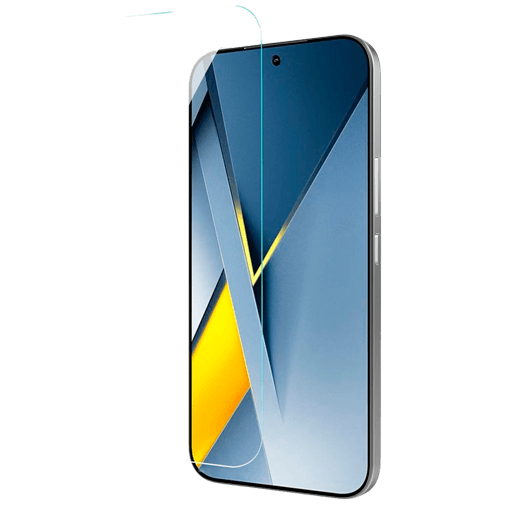
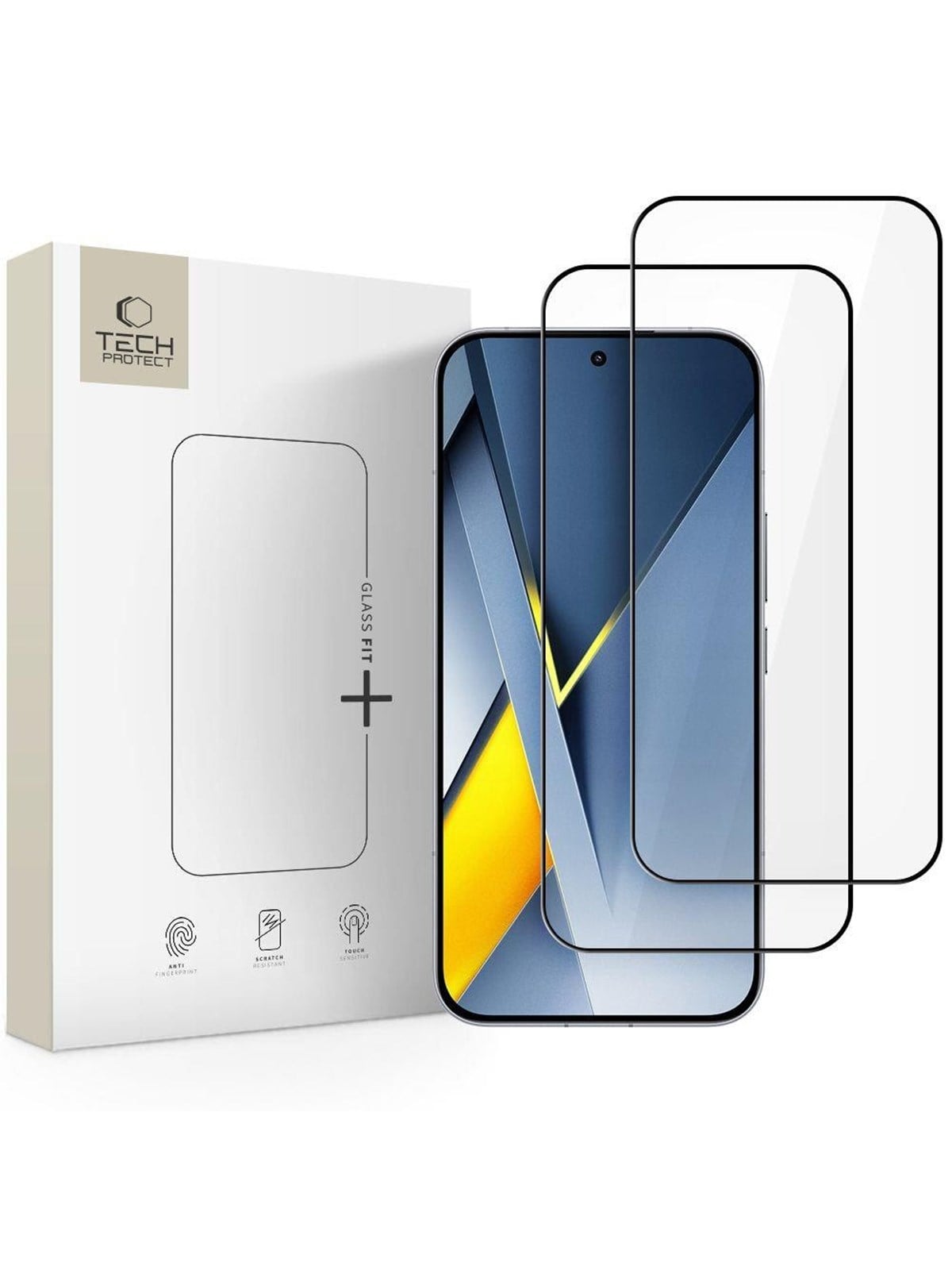
Tech-Protect Glass Fit+ 2-pack for Xiaomi Poco F8 Pro Ultra - BlackTech-Protect Glass Fit+ tempered glass is a high-quality protective accessory made of lightweight and precisely milled glass with a thickness of only 0.3mm. The perfectly matched design fully preserves the sensitivity of the touchscreen. The manufacturer rates its hardness level at 9H on a ten-point scale, which translates into exceptional scratch resistance during everyday use. The glass is characterized by crystal clarity, thanks to which it retains the natural colors and sharpness of the display. An additional advantage is a special oleophobic coating, which effectively minimizes the accumulation of fingerprints and other impurities on the surface of the glass, thus making it easier to keep it clean. * The glass is compatible with most cases available on the market. ** Due to the variety of milling of the edges of the displays, a slight halo of air may form around the screen after the film/protective glass is installed on the screen! This is a natural situation and depends on the milling of the screen in a given piece. INSTALLATION INSTRUCTIONS: 1) Start installation in the bathroom right after bathing - the water vapor will absorb all the dust from the atmosphere and it will not interfere with your installation. 2) Clean and degrease the surface of the screen thoroughly, then use a dry cloth to polish it to a shine. 3) Install the coating as evenly as you can - you can position it with two sheets, gluing them to the side of the device. 4) Get rid of air bubbles by pressing the whole thing down in a circular motion for a few dozen seconds. Do this so that the adhesive layer bonds to the screen as tightly as possible.13,39 €*Versand: 6,99 €Sichere Weiterleitung zum Anbieter
-
Für was ist die f8 Taste?
Die f8-Taste auf der Tastatur wird oft als Funktionstaste verwendet, um verschiedene Befehle oder Aktionen in Softwareanwendungen auszuführen. In vielen Programmen kann die f8-Taste beispielsweise zum Öffnen des Entwicklerwerkzeugs oder zum Starten des Debug-Modus verwendet werden. In einigen Betriebssystemen kann die f8-Taste auch zum Starten des abgesicherten Modus oder zum Aufrufen des Boot-Menüs verwendet werden. Es ist wichtig, die spezifische Funktion der f8-Taste in der jeweiligen Anwendung oder Umgebung zu überprüfen, da sie je nach Kontext variieren kann. **
-
Was kostet iPhone XS Max 256gb?
Das iPhone XS Max 256 GB kostet je nach Anbieter und Land unterschiedlich. In Deutschland liegt der Preis für ein neues Gerät in der Regel zwischen 1.249€ und 1.349€. Bei gebrauchten Geräten kann der Preis variieren, abhängig vom Zustand und Zubehör. Es ist empfehlenswert, verschiedene Angebote zu vergleichen, um das beste Angebot zu finden. Hast du schon einen bestimmten Anbieter im Blick, bei dem du das iPhone XS Max kaufen möchtest? **
-
Was ist die Funktion der F8-Taste?
Die F8-Taste hat verschiedene Funktionen, abhängig vom Kontext, in dem sie verwendet wird. In den meisten Betriebssystemen kann sie verwendet werden, um den abgesicherten Modus zu aktivieren, der das Starten des Computers mit minimalen Treibern und Diensten ermöglicht. In einigen Anwendungen kann die F8-Taste auch verwendet werden, um spezifische Funktionen oder Befehle aufzurufen. **
-
Wo ist die f8 Taste beim Laptop?
Die f8 Taste befindet sich normalerweise auf der obersten Reihe der Tastatur eines Laptops. Sie ist oft mit einer Funktionstaste (Fn) kombiniert, was bedeutet, dass man die Fn-Taste gedrückt halten muss, um die f8 Funktion auszuführen. Die genaue Position der f8 Taste kann je nach Laptop-Modell variieren, aber sie ist in der Regel in der Nähe der oberen linken Ecke der Tastatur zu finden. Wenn du die f8 Taste nicht finden kannst, schau am besten in der Bedienungsanleitung deines Laptops nach oder suche online nach einem Bild der Tastatur deines spezifischen Laptop-Modells. **
* Alle Preise verstehen sich inklusive der gesetzlichen Mehrwertsteuer und ggf. zuzüglich Versandkosten. Die Angebotsinformationen basieren auf den Angaben des jeweiligen Shops und werden über automatisierte Prozesse aktualisiert. Eine Aktualisierung in Echtzeit findet nicht statt, so dass es im Einzelfall zu Abweichungen kommen kann. ** Hinweis: Teile dieses Inhalts wurden von KI erstellt.